on May 21st, 2010Equinox/RAP war products sketches
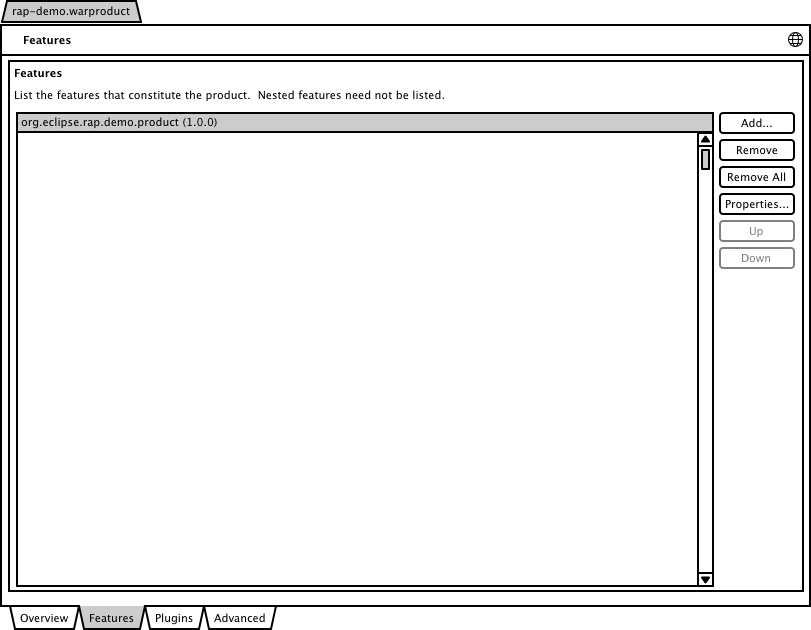
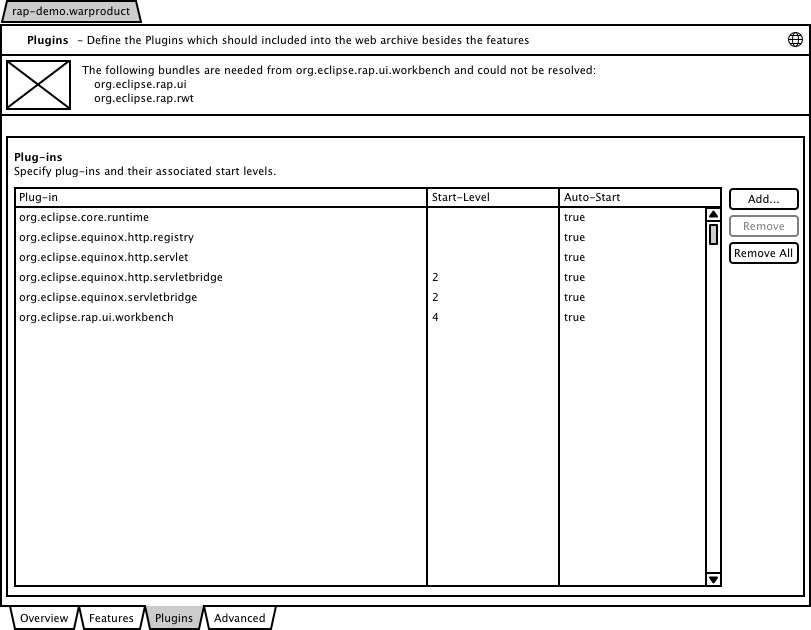
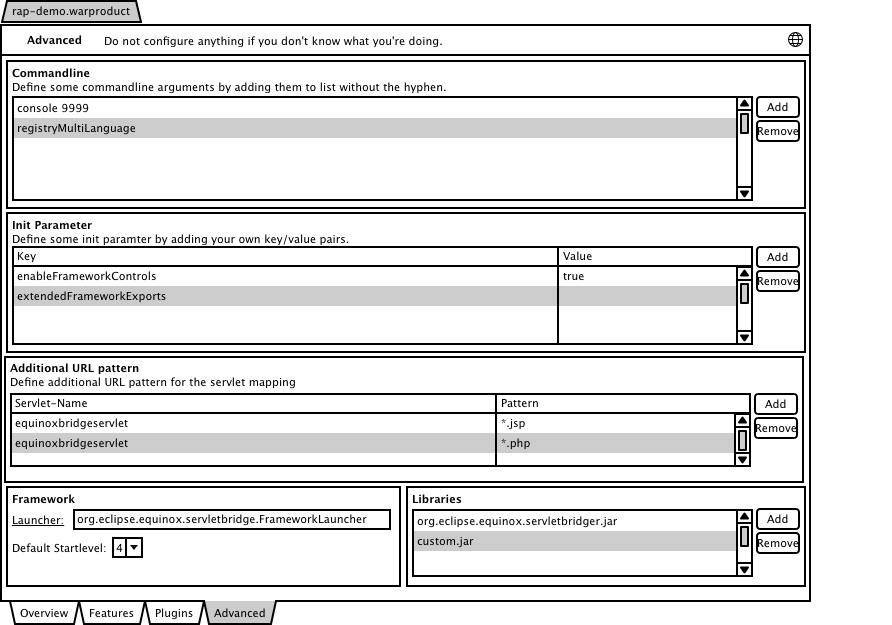
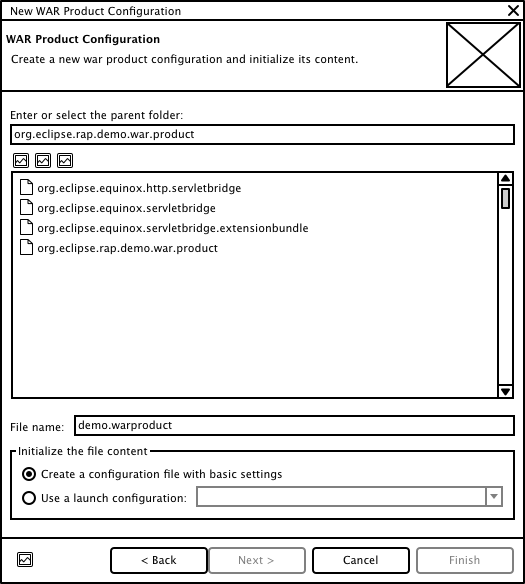
As I described in a previous blog I’m going to create the tooling for creating equinox based war files within this year’s gsoc. For this purpose I created some UI sketches with the WireframeSketcher. You can see the first thoughts on the UI below. I would appreciate if you can give some feedback on the sketches to improve the tooling. You can find more information about the war products at the wiki page.
- the new wizard
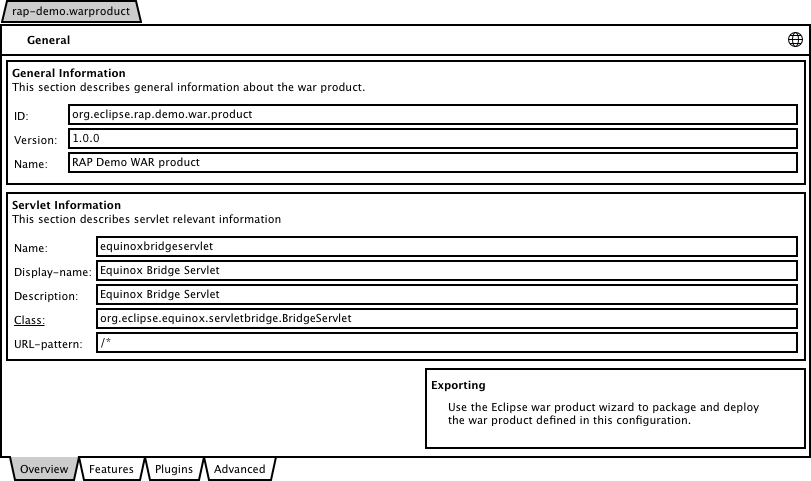
- the warproduct editor
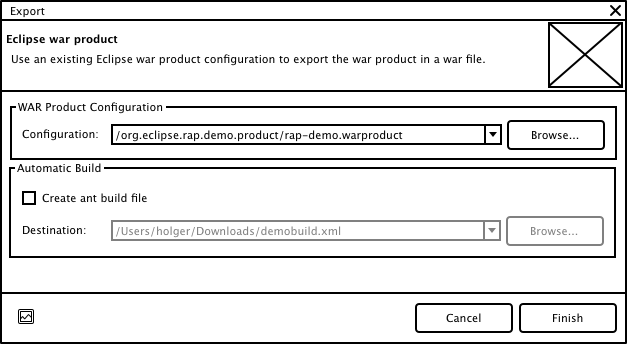
- the export wizard
Related posts:
- RAP/Equinox WAR products
- Equinox/RAP WAR Products has moved. Hello Eclipse Libra…
- Equinox/RAP WAR deployment: an end to the pain
- Equinox above the Cloud – some call it Heaven!
- Equinox p2 User Interface Feedback?


Looks very cool. Two questions:
- Parts of the dialog cover the content of the web.xml. Could you add a area where additional stuff can be put into (e.g. SessionTimeout configuration)? Maybe displaying the resulting web.xml and allowing the user to customize it is an option?
- I’m very happy about the very last option (generate ant file) – does this mean that the whole generation works in headless builds, too?
Stefan.
The sketches look cool.
I like to propos following minor changes:
WAR Product Configuration:
- remove “Enter or select the”; only “Parent folder:”
- Parent of what?
- Parent folder: add “Browse…” button
- “Initialize the file content” => “Configuration”
- Remove “with basic settings”
General: (Why not “Overview” like in the Plug-in Manifest Editor?)
- Remove “General Information” and “This section… ”
- Remove “General Information” box (we are in the “General” tab
- “Servlet Information” => “Servlet”
- Remove “This section…”
- Why is there empty space in the bottom left corner?
- Exporting: Is this a link like in Plug-in Manifest Editor?
Features:
- “Remove All” button is a little bit dangerous and not really required because you can select all and then use “Remove”
- “Up” and “Down” should be directly below “Remove” (see Plug-in Manifest Editor – Dependencies)
Plugins:
- “Plugins” => “Plug-ins”
- “Plug-ins” + “Specify…” => “Plug-ins and their associated start level:” + remove surrounding box
Export:
- Several times: “war” => “WAR”
- Remove “WAR Product Configuration” and surrounding box
- Remove “Automatic Build” (automatic does not mean that you have not to run it manually, right?)
- “Create ant build file” => “Create Ant build file”
- “Destination:” => “Ant build file:” + indention (because it’s only enabled if check box is checked)
- Why this are combo boxes? What are the items of the combo boxes?
Hopefully, now you do not think I’m a grumbler.
)
I’m looking forward for this cool tooling.
Thanks for your feedback. I really like to see that people take some time to provide feedback for a fresh concept to make the result even better. I will revise the sketches taking account of your feedback. You wil find the new sketches at the wiki page the next days.
Looks good,
Maybe add a tab for configururing the web.xml data. So that you also can add disciption etc. so that the servlet loads faster and better in eg. a tomcat server.