on Jan 20th, 2009Tip: Eclipse-BundleShape
To JAR a bundle or not to JAR, that is the question…
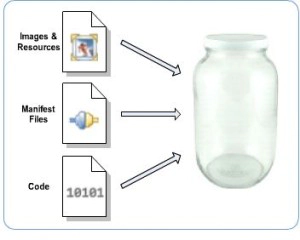
When you’re packaging bundles for deployment, 99.9% of the time you will want to have the bundle packaged into a single JAR. There are many reasons you would want to do this, whether it’s space savings or a way to combat that evil Windows path limitation. In Eclipse land, the way a bundle is packaged in a build was typically controlled at the feature level. In an Eclipse feature, you could declare a bundle and specify whether the bundle is needed to be unpacked or not (via the unpack attribute). If you had an Eclipse-based product that was simply bundle based, PDE Build had to make guesses on whether or not to pack the bundle or not. This was done using a simple algorithm, if the Bundle-ClassPath header is present in your manifest and the classpath contains a ‘.’ (or is not defined, since ‘.’ is the default), then you will end up with a jar. This guessing can problematic for developers when you don’t want pack a bundle because of technical reasons.
So what’s the solution?
I have good news, in Eclipse 3.5 (starting with the 3.5M5 milestone), PDE supports the new Eclipse-BundleShape header. This header simply has two values, “dir” or “jar,” which specify how the bundle should be packaged. This header is also used by p2 so when you go to publish your bundle in a repository, the metadata is properly generated.
In the end, we now have a solution that allows for a finer granularity in which a bundle’s packaging information can be specified.
I hope you find this information helpful!
Related posts:

Great. What takes precendence – the Eclipse-BundleShape header or the unpack attribute in a feature?
Good to hear.
Is this option exposed in the UI? If so, is it on the Build page of the manifest editor or somewhere else?
Hooray! bug 157562 at last!
Thanks. Digging around to find that ‘.’ behavior was nasty.
@marco, the feature will always win. If the feature isn’t available or the unpack attribute isn’t specified, the bundle will be consulted for its shape.
@wassim, this isn’t exposed in the UI yet. We haven’t found a good place for it and we haven’t decided to use it in the SDK yet. Currently, there is only validation and code assist to help people.
@ben, heh, I’ve known a few people that have been bitten by that. In general, most of the time you should be packaging your bundles as JARs… it’s better for everyone
Chris, Great! This solution is so obvious that I always wondered why it was not there in the first place. Btw. do you know what would happen with the old feature-based approach, if two contained features express conflicting unpacking desire for the same plug-in?
@eike, I’m not sure what would happen, I’ll consult Andrew Niefer a bit as PDE Build will be making the decision.
[...] By codecurl Categories: Uncategorized That is the question, and it has been answered in Eclipse [...]
@Eike, it looks like the result in this case is undetermined. While generating scripts, build associates with each bundle a set of feature entry objects representing the elements from the features that include it. This is where the unpack info is coming from.
However, it seems that we only actually consult the first entry in the set and don’t bother to see what the others say. And we can’t predict the order the entries come out of the set. Changes here will be tracked by bug 217005
Within my RCP application, i have some resource files like log4j.properties and so on. Our installation is feature based. I do want to pack the plugin except the resource files. The source code and resources are in the same plugin. After installation, all the source code and some resources are in jar. But config files like properties are not. Does Eclipse-BundleShape support this? If not, is there any other way to achieve this.
Hy, all!
I set Eclipse-BundleShape: dir in my plug-in and start the Export Product Wizard, but exported RCP Application (plugin based) have JAR with my plug-in instead of waited DIR.
This is a bug?
Hello, i’ve got the same issue. My manifest contains “Eclipse-BundleShape: dir” but when i export the product (plugin based) i have a jar instead of a dir.
I use Eclipse 3.5.2
The Eclipse-BundleShape manifest header is not working for me as well, so I opened the following bug:
https://bugs.eclipse.org/bugs/show_bug.cgi?id=314962