
RAP Project Lead at EclipseSource
Drawing Complex Shapes in RAP

In RAP 1.3, we added support for GC (Graphics Context) to the canvas widget. It allows you to draw simple shapes such as lines, squares, ovals or arcs, and fill them with solid colors or gradients.
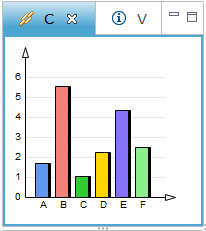 Most of the time, this will suffice your needs, but sometimes you may also want to draw more complex shapes such as quadratic or bezier curves. Luckily, RAP 2.1 is just around the corner and one of its remarkable features is the support for drawing paths.
Canvas canvas = new Canvas( parent, SWT.NONE );
canvas.addPaintListener( new PaintListener() {
  public void paintControl( PaintEvent event ) {
    GC gc = event.gc;
    Path path = new Path( device );
    path.lineTo( 213, 20 );
    path.lineTo( 207, 22 );
    path.cubicTo( 208, 164, 255, 207, 412, 271 );
    path.lineTo( 427, 271 );
    path.quadTo( 470, 296, 541, 300 );
    path.close();
    gc.setBackground( bodyBackgroundColor );
    gc.fillPath( path );
    gc.setLineWidth( 4 );
    gc.drawPath( path );
    path.dispose();
  }
} );
Inspired by the HTML5 Canvas Cookbook, I’ve decided to draw one of their examples using GC and the new Path API. In the beginning I was a little bit sceptical, but the excellent results motivated me to share it with you.
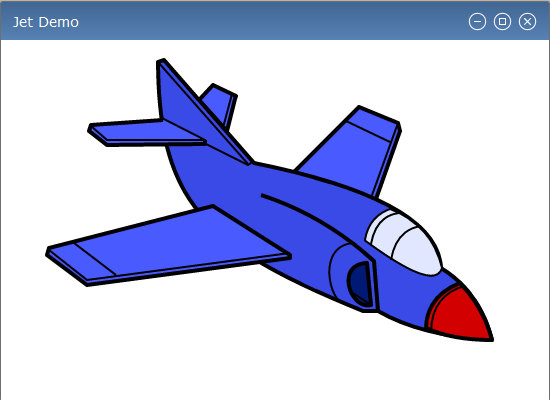 Yes! RAP 2.1 is capable of producing such a drawing. It works well in all browsers supported by RAP including IE8, where VML-based (vector-graphics) emulation is used instead of HTML5 Canvas. My next task was to look at the JSON protocol message responsible for “delivering” the jet on the client. Contrary to my expectations, the size of the JSON message was not too big (4k uncompressed JSON). It was even eight times smaller than the initial message, which creates the UI of a standard workbench-based application. Just for comparison, the same drawing as PNG image is about 7k in size. Our online Examples Demo has been updated, where the Canvas tab gets a new look with all of the new features included. Enjoy drawing with the upcoming RAP 2.1 release (together with Kepler in June 26th)!