
RAP Project Lead at EclipseSource
Getting started with RAP

For beginner developers is very important to have a fast start in a new technology. RAP Tools provide three PDE templates from its version 1.0, but all of them are based on the Eclipse workbench model and its extension points. Starting from RAP version 1.5, it’s possible to create a lightweight OSGi applications using RAP’s widget toolkit. That’s why we decided to replace two of the old Eclipse Workbench-based templates with one lightweight, very basic Hello World template. 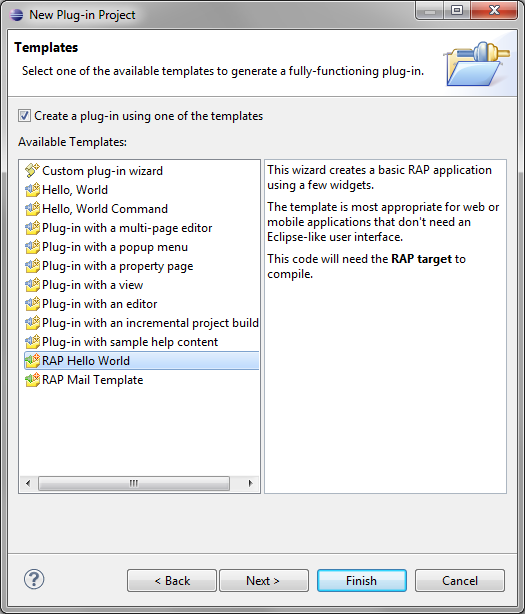 This template uses declarative services to register an ApplicationConfiguration.
public class BasicApplication implements ApplicationConfiguration {

  public void configure(Application application) {
    Map properties = new HashMap();
    properties.put(WebClient.PAGE_TITLE, "Hello RAP");
    application.addEntryPoint("/hello", BasicEntryPoint.class, properties);
  }

}
It also utilizes the new simplified EntryPoint, provided by an abstract base class called AbstractEntryPoint.
public class BasicEntryPoint extends AbstractEntryPoint {

  @Override
  protected void createContents(Composite parent) {
    parent.setLayout(new GridLayout(2, false));
    Button checkbox = new Button(parent, SWT.CHECK);
    checkbox.setText("Hello");
    Button button = new Button(parent, SWT.PUSH);
    button.setText("World");
  }

}
You could download the latest version of RAP Tools from RAP download page.