Getting started with the RAP Calculator Example
Below are some brief instructions on how to import and run the RAP Calculator Example, which I currently use in my talks.
Special thanks to all of you who attended my recent talks at the Salem Java User Group (download the slides) and the Seattle Code Camp.
Installation Instructions
Note: the example needs RAP 1.1 M1 or newer. It will not work with RAP 1.0.
- To install RAP and launch a demo application, visit this screencast. Total running time is approx. 3 minutes.
- To install the Calculator Example download the file ‘calc.ui.rap.zip’.
- To import the sources from ‘calc.ui.rap.zip’ follow these instructions.You should now have the ‘calc.ui.rap’ project in your workspace. If you’ve compile errors make sure you are using a RAP 1.1 M1 (or newer).
- To run the calculator you can use the supplied launch configuration:
-
Expand the ‘calc.ui.rap’ project
-
Select ‘Calculator Example.launch’. Right click > Run As > Calculator Example
-
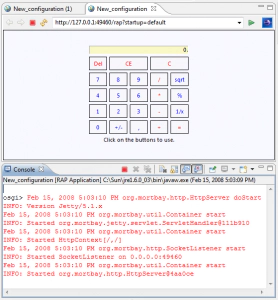
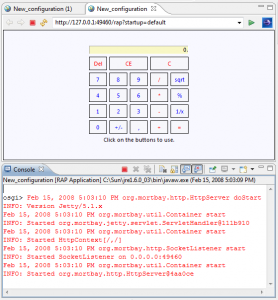
You should see the Calculator-App, similar to the screenshot below.
-
If you get stuck, please leave a comment.
Have fun with RAP, Elias.